Piper Get early access

Piper works while you’re away.

A personal AI assistant for work. Come back to it finished.

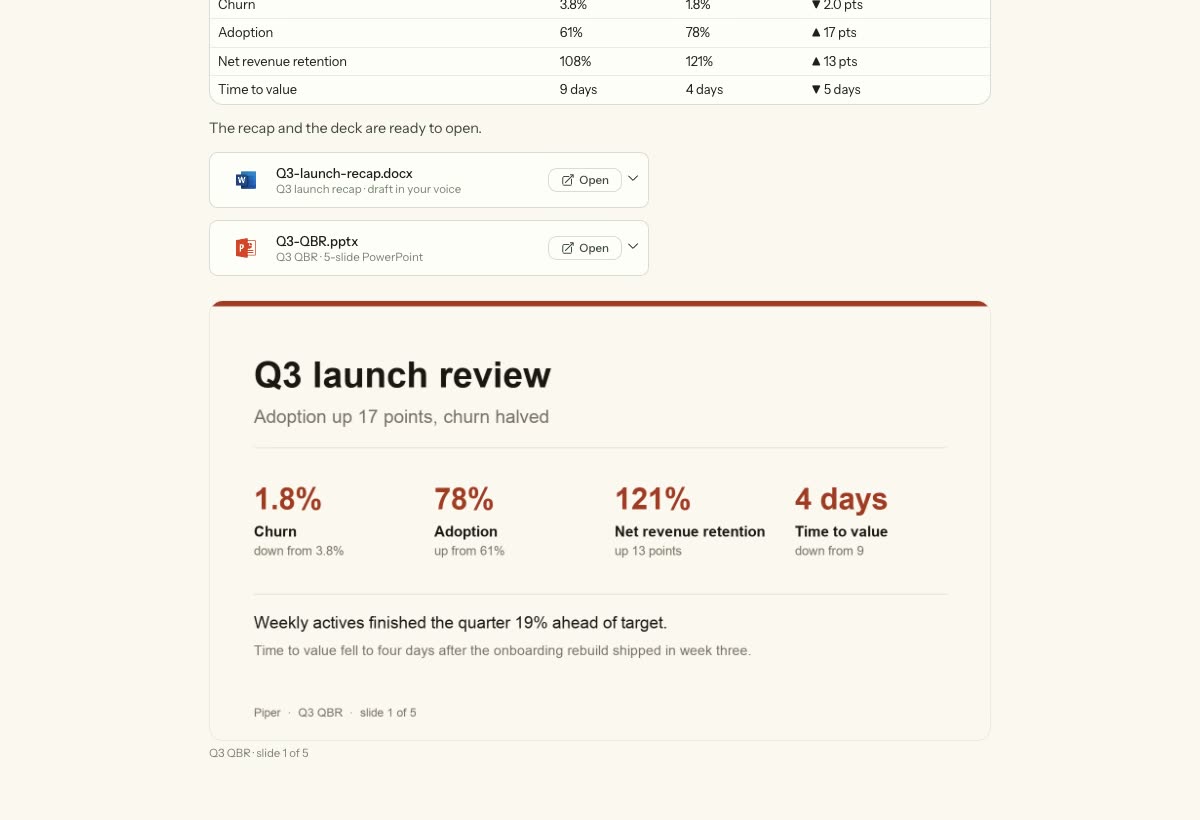
Piper's finished Q3 launch review: a metrics table, the recap and deck ready to open, and the deck's first slide

Give it the whole job.

Piper writes the plan first, then works through it. You hand over the task, not the steps.
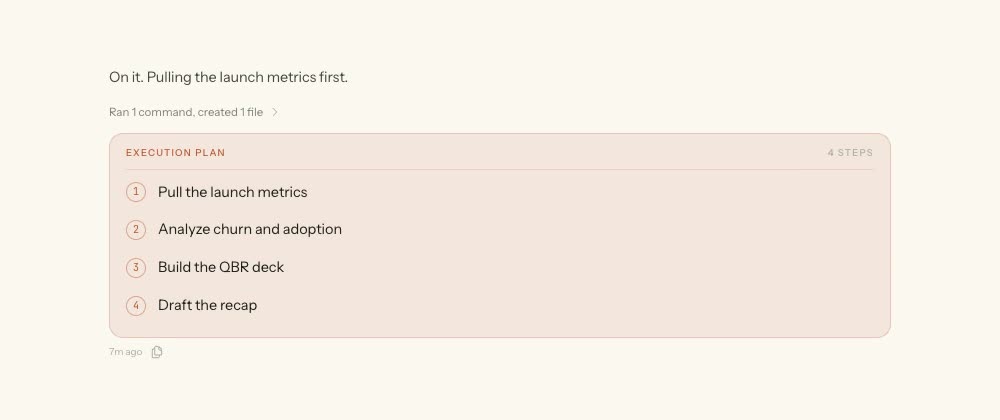
An execution plan with four steps: pull the launch metrics, analyze churn and adoption, build the QBR deck, draft the recap

It reads the numbers.

Charts and tables built from your own data, so you can check the claim instead of taking it.
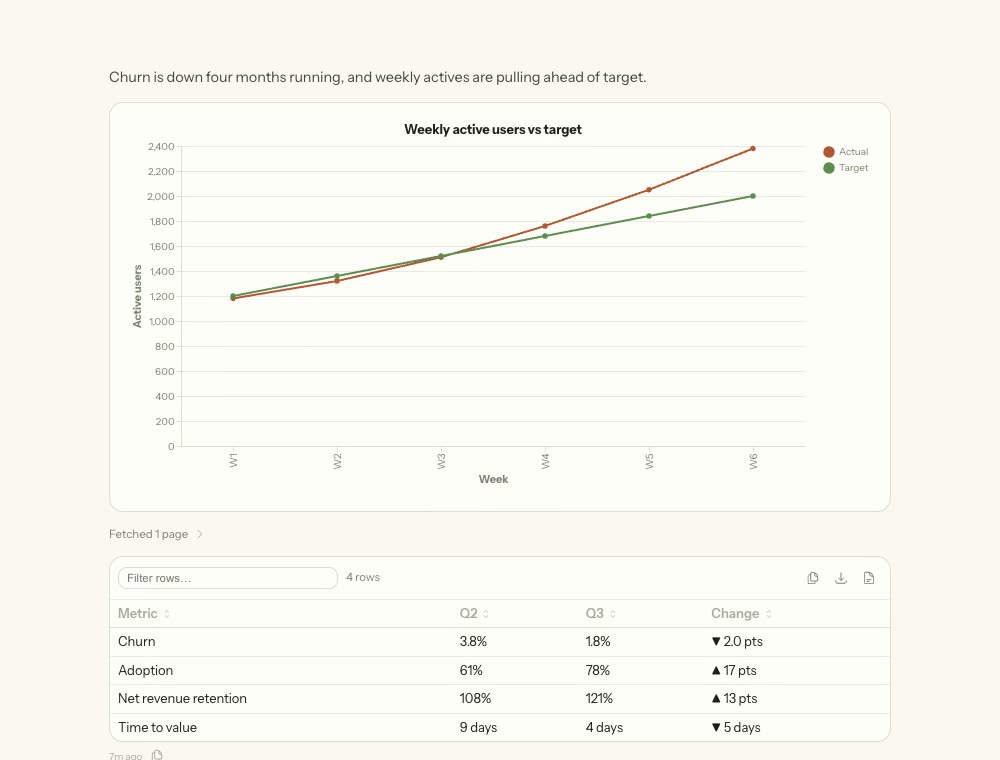
A line chart of weekly active users against target, and a table showing churn, adoption, net revenue retention and time to value across two quarters

You get files, not a chat log.

A Word recap and a PowerPoint deck, written and built, sitting there ready to open.
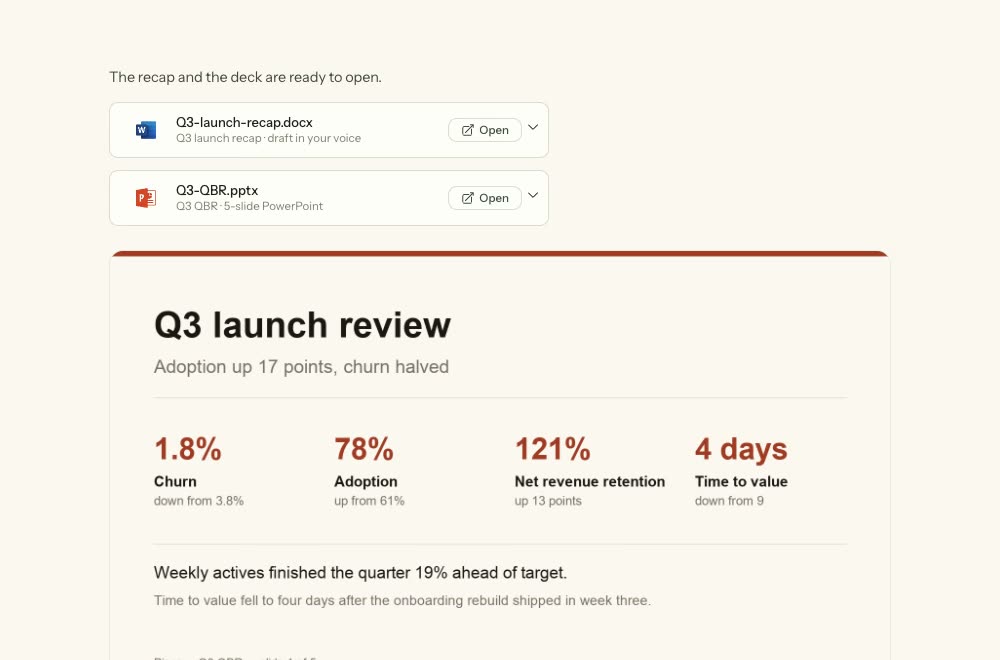
File cards for Q3-launch-recap.docx and Q3-QBR.pptx, above a preview of the deck's first slide

It learns how you work.

Piper keeps what it learns at three levels: everywhere you work, inside one project, or for a single task.
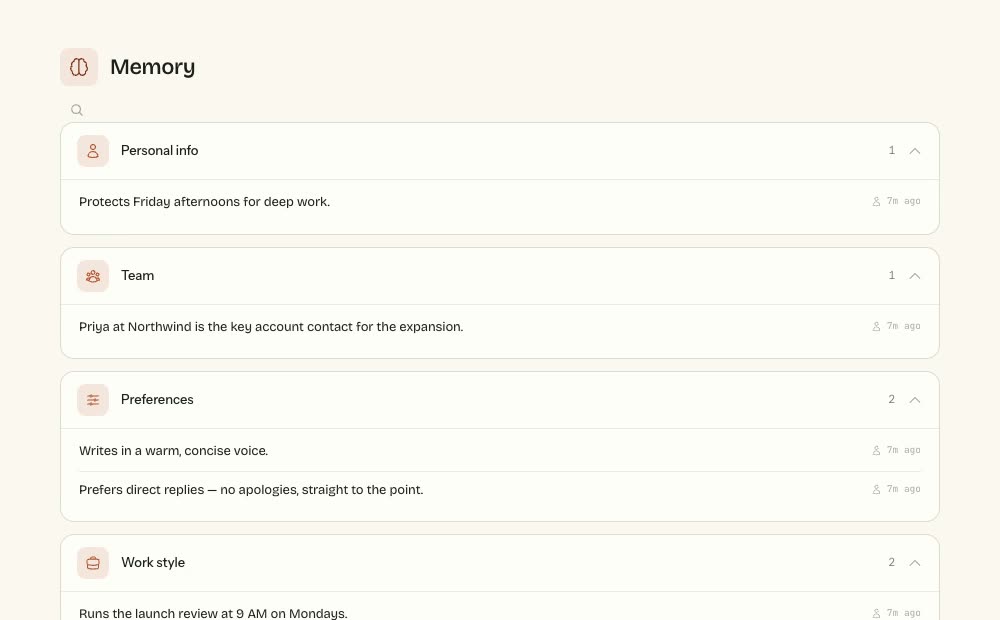
Piper's memory, grouped into personal info, team, preferences and work style

It works where your work already is.

Piper runs on your Mac and signs in as you. You pick what it can reach.

  • Gmail
  • Google Calendar
  • Google Drive
  • Notion
  • Linear
  • Asana
  • Jira
  • Confluence
  • Todoist
  • Airtable
  • Miro
  • Canva
  • Starts before you ask. It flags the reply you owe and preps tomorrow’s meeting.
  • Keeps going on its own. Hours of work, and on a schedule, while your machine is awake.
  • Waits for your click. Nothing leaves your machine until you approve it.

Come back to work ready to review.